Xerra Chat for Drupal
The assistant that reads your Drupal content and answers with the source.
What it does
Your content
What it reads and when
- Connect with Xerra
- One button: log in and pick the assistant. A connection code works too.
- You choose what it shares
- Tick which content types the assistant reads.
- Re-reads on its own
- When you create, edit or delete a node or a translation, the module lets the platform know. If a notification fails, it retries for three days.
- The whole content
- Full display fields, Paragraphs up to three levels, taxonomy terms, the first image and Metatag data.
- Only what's public
- Published nodes visible to anonymous visitors. Never users, authors, comments or form data.
Show 4 more
In front of visitors
The chat on your website
- Talk to a person
- When it doesn't know the answer, it offers your contacts: WhatsApp, phone, email or your contact page. Taking over a conversation live happens on the platform.
- In three languages
- Catalan, Spanish and English; translations are imported automatically with the Locale module.
Inside Drupal
What you see
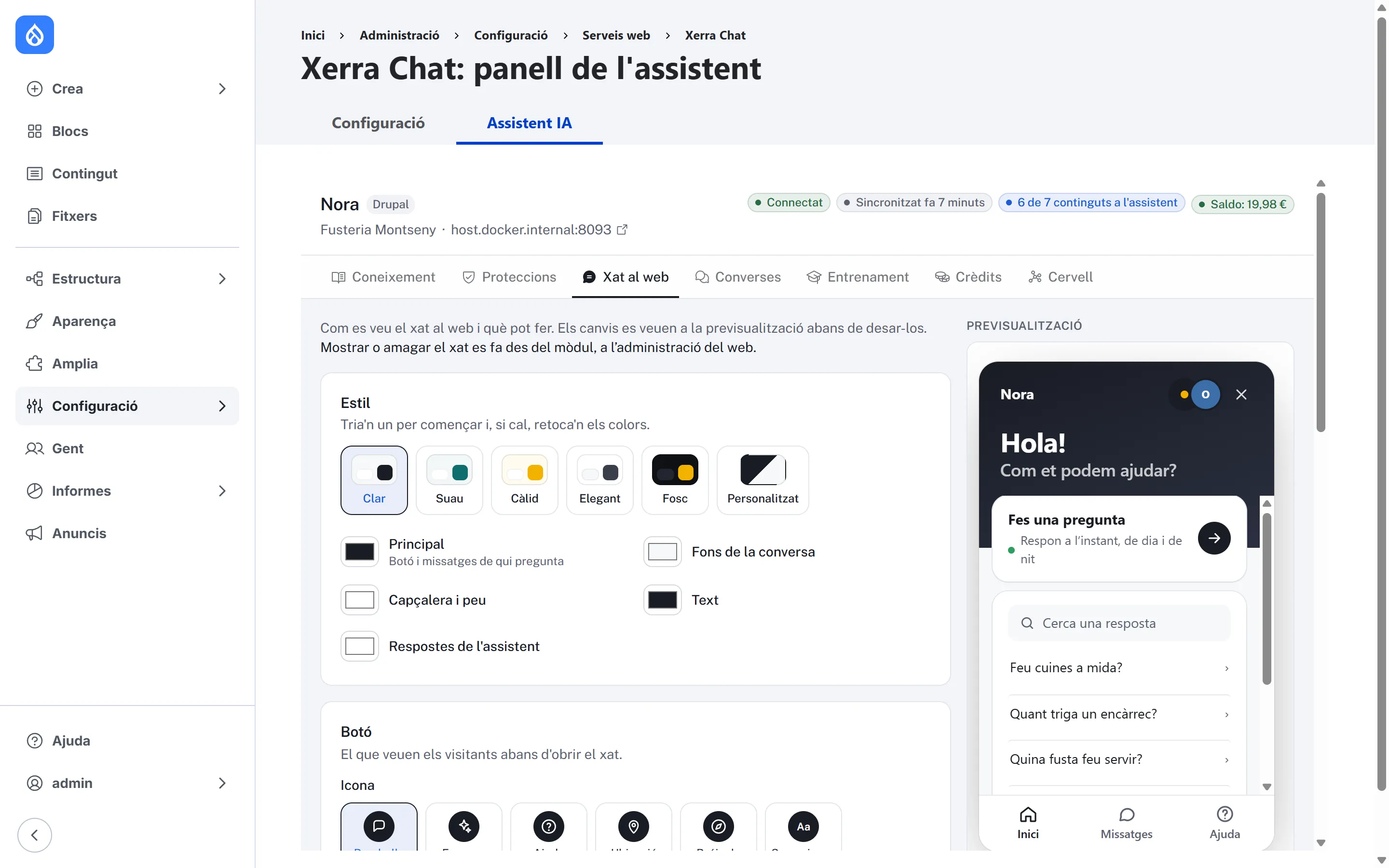
- The assistant panel, in the configuration
- As one more tab in the configuration: Knowledge, Protections, Website chat with a live preview and starter questions, Conversations, Training, Credits and the Brain. Plus the connection page: status, balance, show or hide the chat, re-read the site and disconnect.
- Update notices
- New versions show up in Drupal's available updates report. You install them by hand, replacing the module folder.
What it looks like
In the admin
On a phone
The chat on a phone The site on a phone with the chat button
How to install it
- 01
We give it to you
We give it to you when we open your demo, with your assistant already set up.
- 02
Install it in Drupal
Unzip it into web/modules/custom/xerra and enable it with drush en xerra or from Extend.
- 03
Connect with Xerra
Press “Connect with Xerra”, log in and pick the assistant. If needed, a connection code works too.
Requirements
- Drupal
- 10.3 · 11
- PHP
- 8.1+
- Plugin version
- 1.2.0
- Tested with
- Drupal 11.4.8
- Also
- Needs the Node module. Metatag is optional.
Questions about Xerra Chat for Drupal
Does it work with translated content?
Yes: each translation is read as a separate item. If you turn on translation on a site that's already connected, read it again.
What happens when I export the configuration?
Connection credentials aren't exported with drush cex: each environment connects with its own code.
Do I need Metatag?
No. It's optional; if you have it, the assistant reads its data.
If I only edit a taxonomy term, is it re-read?
Node changes are sent automatically. If you only change a term, read the site again.