Xerra Chat for WordPress
The assistant that reads your WordPress site, and your WooCommerce shop if you have one, and answers with the source.
What it does
Your content
What it reads and when
- Connect with Xerra
- One button: log in and pick the assistant. A connection code works too.
- Re-reads on its own
- When you publish, edit, recategorise or delete a post or page, the plugin lets the platform know.
- Media library documents
- You can share PDF, Word, Excel and PowerPoint files from the media library with the assistant.
- Protections and private data
- Limit the topics, exclude categories, tags or private ACF fields, and the plugin hides mobile numbers, emails, ID numbers and IBANs before sending anything.
Show 6 more
In front of visitors
The chat on your website
- WooCommerce built in
- Price with tax, sales, stock and variations. Visitors add the product to their cart from the chat.
- The chat, your way
- Several styles or your own colours, the button text, the welcome, the icon and the position, with a live preview.
- Answers with buttons
- Link cards, suggested questions, Contact Form 7 forms inside the chat, and phone, WhatsApp, email or directions buttons.
- Talk to a person
- When it doesn't know the answer, it offers your contacts: WhatsApp, phone, email or your contact page. Taking over a conversation live happens on the platform.
Inside WordPress
What you see
- Conversations and Training
- Read the conversations, review poorly rated answers and test questions, and turn them into verified answers.
- Home, notices and the Brain
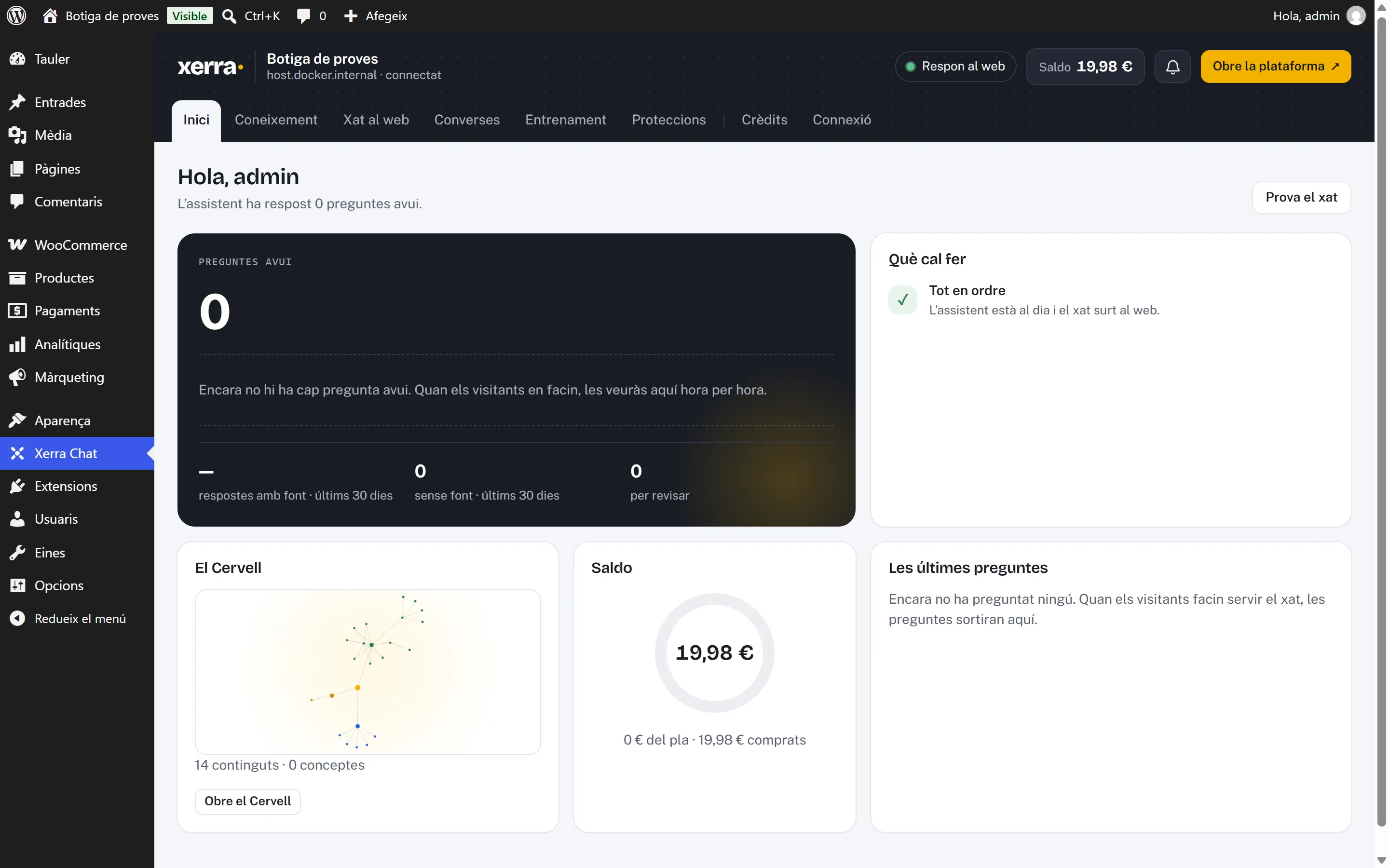
- Today's questions, what needs doing, the balance, live reading progress, the notifications panel and the map of what the assistant knows, without leaving WordPress.
What it looks like
In the admin
On a phone
The chat on a phone The shop on a phone with the chat button
How to install it
- 01
We give it to you
We give it to you when we open your demo, with your assistant already set up.
- 02
Install it in WordPress
Go to Plugins › Add New Plugin › Upload Plugin, choose the zip and activate it.
- 03
Connect with Xerra
Press “Connect with Xerra”, log in and pick the assistant. If needed, a connection code works too.
Requirements
- WordPress
- 6.4+
- PHP
- 8.1+
- Plugin version
- 0.5.0
- Tested with
- WordPress 7.1.3 · WooCommerce 11.2.1
- Also
- WooCommerce is detected automatically, no separate module needed.
Questions about Xerra Chat for WordPress
Does it work with WooCommerce?
Yes. The plugin detects it automatically: no separate module is needed.
And with WPML or Polylang?
The plugin is language-aware: it sends each post with the language WPML or Polylang gives it.
Which languages is the plugin in?
Catalan, Spanish and English, following your WordPress user's language.
Does it update itself?
Yes, in one click from WordPress itself, like any other plugin.
What about private data?
You choose what is shared: by type, by category or tag, or post by post. Private ACF fields and data like mobile numbers, personal emails, ID numbers or IBANs never leave the site.