Xerra Chat for PrestaShop
The assistant that knows your PrestaShop catalogue and answers with the source.
What it does
Your content
What it reads and when
- Connect with Xerra
- One button: log in and pick the assistant. A connection code works too.
- Re-reads on its own
- Products, combinations, specific prices, stock, CMS pages and categories: every change is sent to the platform.
- Public data only
- Active products, CMS pages and categories with a description. Never customers, orders, users or cost prices.
Show 5 more
In front of visitors
The chat on your website
- Buy from the chat
- Price with VAT, previous price, stock and up to 30 combinations. Visitors add the product to their cart from the conversation.
- Talk to a person
- When it doesn't know the answer, it offers your contacts: WhatsApp, phone, email or your contact page. Taking over a conversation live happens on the platform.
- In three languages
- The module's admin is in Catalan, Spanish and English.
Inside PrestaShop
What you see
- The assistant panel, in the back office
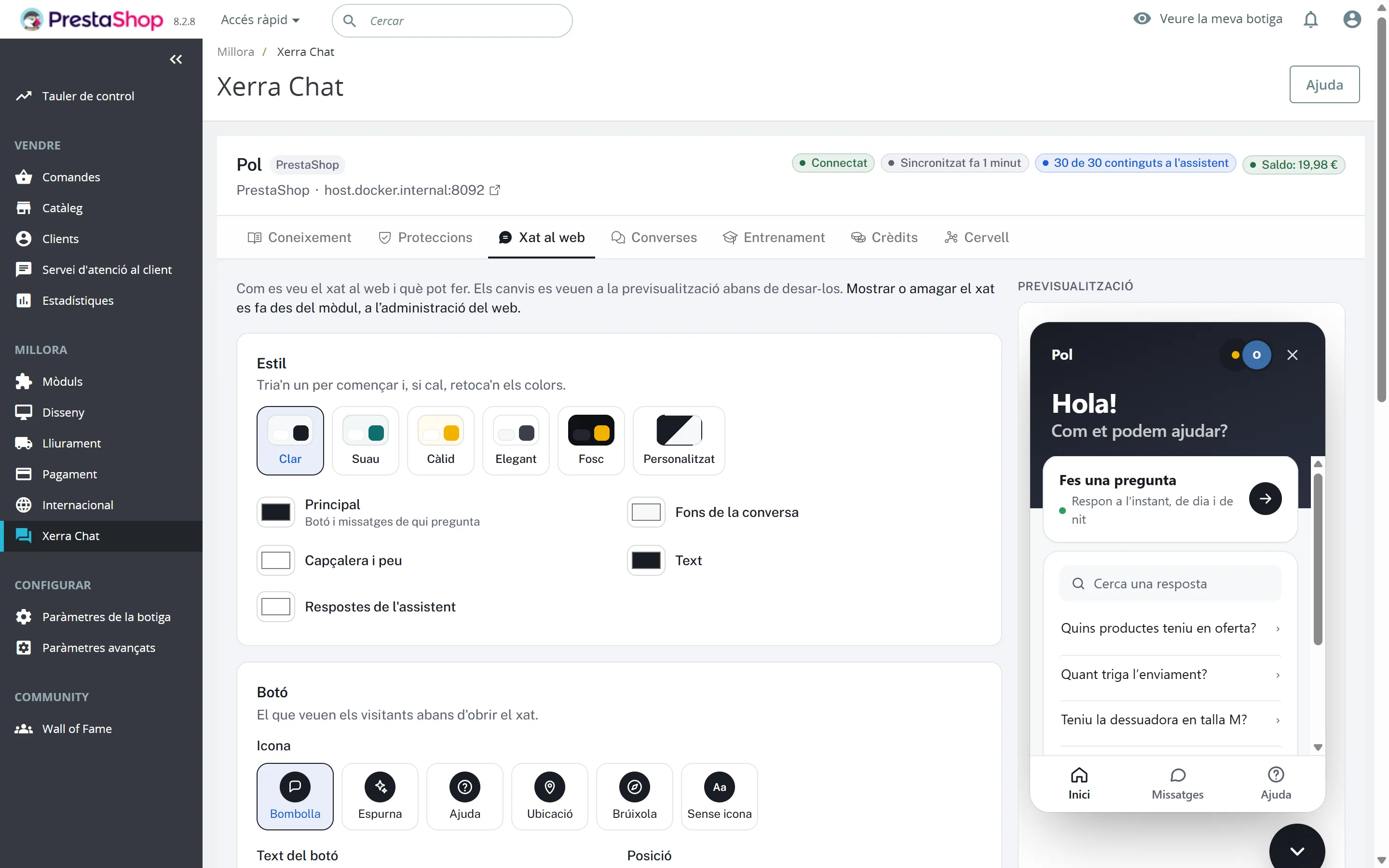
- Knowledge, Protections, Website chat with a live preview and starter questions, Conversations, Training, Credits and the Brain, without leaving PrestaShop. Plus the connection page: status, balance, show or hide the chat, re-read the site and disconnect.
- One-click updates
- The module tells you when there's a new version and takes a backup before updating.
What it looks like
In the admin
01 / 05
On a phone
The chat on a phone The shop on a phone with the chat button
How to install it
- 01
We give it to you
We give it to you when we open your demo, with your assistant already set up.
- 02
Install it in PrestaShop
Go to Modules › Module Manager › Upload a module, choose the zip and press Configure.
- 03
Connect with Xerra
Press “Connect with Xerra”, log in and pick the assistant. If needed, a connection code works too.
Requirements
- PrestaShop
- 1.7.8+
- PHP
- 7.4–8.3
- Plugin version
- 1.2.0
- Tested with
- PrestaShop 8.2.8
- Also
- Needs cURL.
Questions about Xerra Chat for PrestaShop
Does it work with multistore?
It's designed for one shop per connection.
What if my shop has several languages?
For now it sends content in the shop's default language.
Does it work with PrestaShop 1.7?
It's built for PrestaShop 8 and tested on 8.2.8. It supports 1.7.8 and later.
I use Nginx. Do I need to do anything?
Yes: the server has to pass PATH_INFO to PHP.
Can every product be bought from the chat?
Not products that need customisation, not while the shop is in catalogue mode, and not out-of-stock products.