Xerra Chat for Magento
The assistant for Magento and Mage-OS shops that knows the catalogue and answers with the source.
What it does
Your content
What it reads and when
- Connect with Xerra
- One button: log in and pick the assistant. A connection code works too.
- From the command line too
- xerra:connect, xerra:status, xerra:resync and xerra:disconnect.
- Re-reads on its own
- Products, stock, CMS pages and categories: every change is sent, signed, to the platform.
Show 6 more
In front of visitors
The chat on your website
- Buy from the chat
- Final price with tax, stock and configurable product variants. It adds to the cart and refreshes the minicart, Hyvä included.
- Talk to a person
- When it doesn't know the answer, it offers your contacts: WhatsApp, phone, email or your contact page. Taking over a conversation live happens on the platform.
- In three languages
- The module's admin is in Catalan, Spanish and English.
Inside Magento
What you see
- Works with CSP on
- The module declares the platform domain so the chat loads under your Content Security Policy.
- Encrypted credentials
- The access token and the notification secret are stored encrypted.
- The assistant panel, in the admin
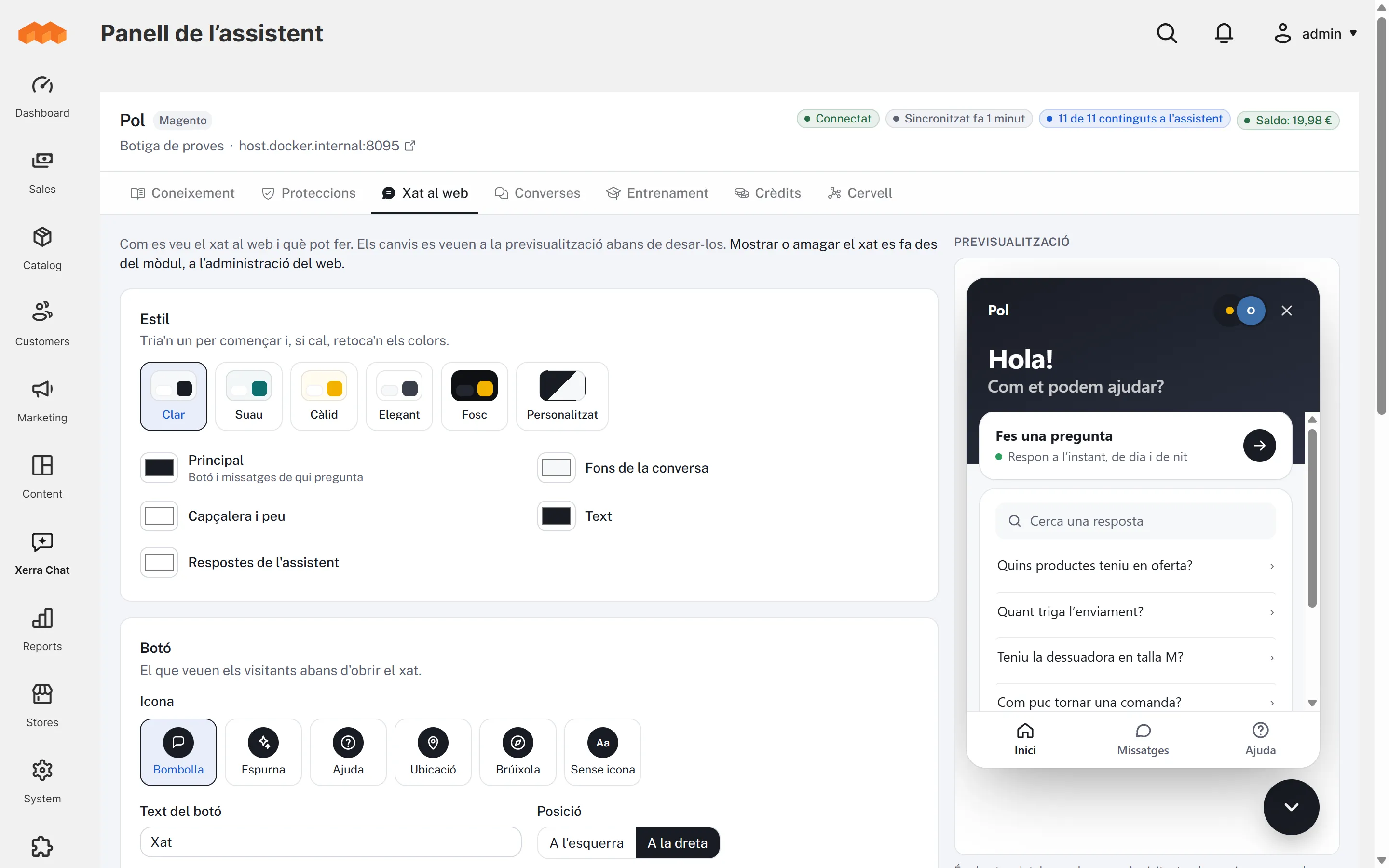
- Under the Xerra Chat menu: Knowledge, Protections, Website chat with a live preview and starter questions, Conversations, Training, Credits and the Brain. Plus the connection page: status, balance, show or hide the chat, re-read the site and disconnect.
What it looks like
In the admin
On a phone
The chat on a phone The shop on a phone with the chat button
How to install it
- 01
We give it to you
We give it to you when we open your demo, with your assistant already set up.
- 02
Install it in Magento
Unzip it into app/code/Xerra/Connector and run bin/magento module:enable Xerra_Connector, setup:upgrade and cache:flush.
- 03
Connect with Xerra
Press “Connect with Xerra”, log in and pick the assistant. If needed, a connection code works too.
Requirements
- Magento
- 2.4.7+ · Mage-OS 1.0+
- PHP
- 8.2–8.4
- Plugin version
- 1.1.0
- Tested with
- Mage-OS 2.3.0 (Magento 2.4.8-p5)
- Also
- Works with Hyvä and an active CSP.
Questions about Xerra Chat for Magento
Does it read every store view?
For now it reads the default store view.
My admin is on a different domain.
Then connect with the connection code instead of the “Connect with Xerra” button.
Does it work with Hyvä?
Yes: adding to the cart from the chat also refreshes Hyvä's minicart.
How is it updated?
The module shows a notice in the admin when there's a new version. You install it by replacing the folder and running setup:upgrade.